Type it, and it appears: Roblox Studio now builds in 3D from a sentence
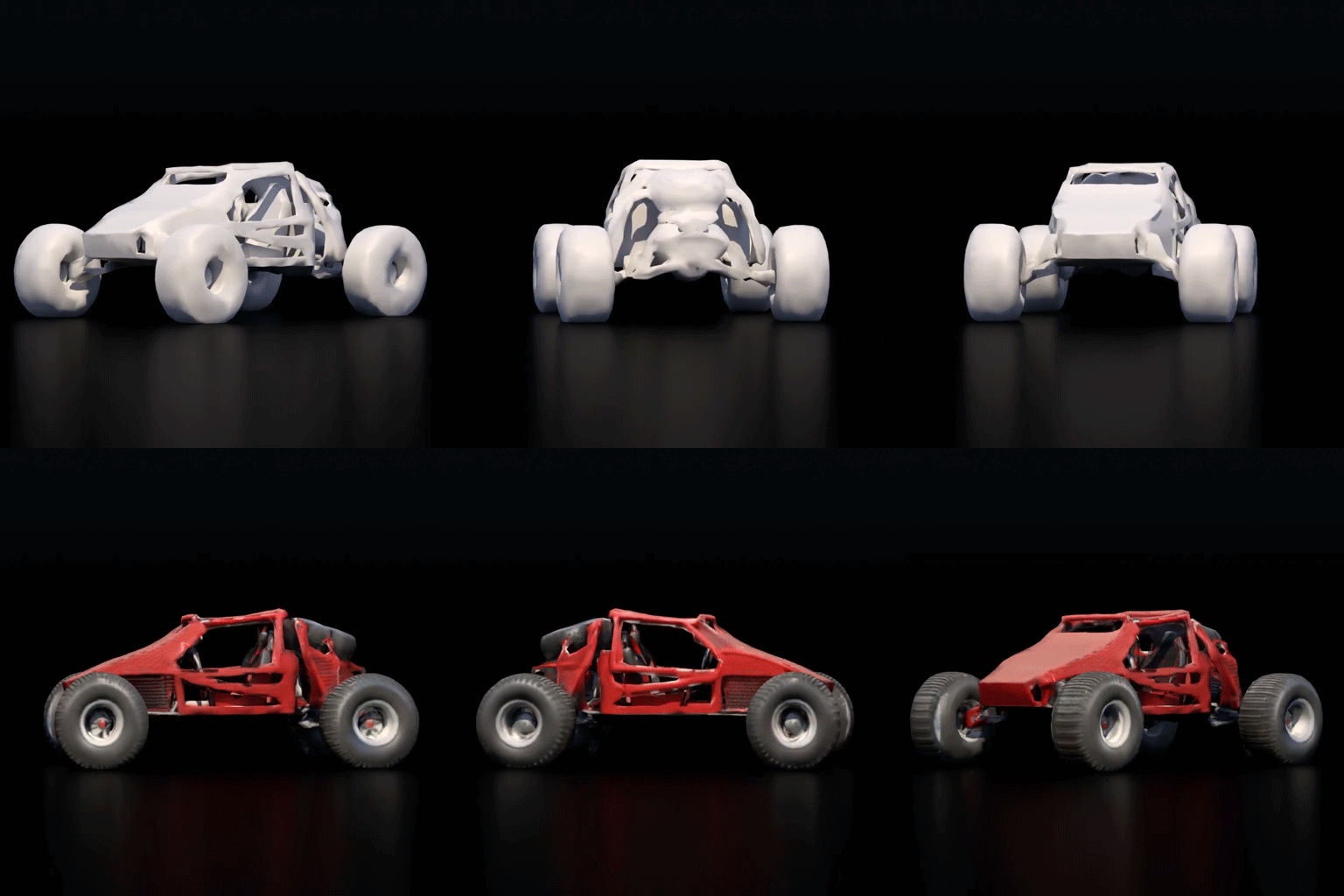
For years, the hardest part of making a Roblox game wasn’t the code — it was the 3D modeling. You could script all day in Lua, but if you couldn’t model a sword, a car, or a castle, you were stuck digging through the catalog. That wall just came down. Roblox Studio — the free software where every single Roblox experience is built — now has a built-in AI assistant that can create textured 3D objects, generate editable models, and even help plan and test an entire game, all from plain language.
Here’s the part that makes kids’ eyes light up: you type what you want, and it shows up in your game.
Meshes from a prompt — in seconds
Type something like /generate a wooden treasure chest and within a few seconds a fully textured 3D object drops into your world. This is powered by Roblox’s own 3D AI model, called Cube, which the company released openly in 2025. Since launch, creators have generated hundreds of thousands of objects this way.
It’s not a black box, either — you stay in control:
- Low-poly or detailed. Set a triangle limit (the default is 10,000). A few hundred triangles gives you a clean, simple prop; more gives you a detailed asset.
- Fits where you need it. Select a block in your scene first, and the AI sizes the new object to fit that space.
- Make several at once. Batch generation lets you fill a scene with props instead of building them one by one.
Models that adapt: Procedural Models

Even cooler is a newer feature called Procedural Models. Instead of a frozen shape, you get a smart object you can keep tweaking. Ask for a bookcase, then drag sliders to change the number of shelves, the height, the material — no need to regenerate anything. These objects understand how their parts relate: a staircase knows how its steps connect to its height, and a table knows its legs hold up the top. That’s real design thinking baked into a single prompt.
An AI that plans, builds, and tests alongside you
The biggest leap is that the assistant now works like a hands-on teammate rather than a one-shot answer box. It can:
- Plan first. It reads your project and writes out a step-by-step build plan — almost like a mini game design document — that you can edit and approve before anything changes.
- Build the world. It uses mesh and procedural generation to turn that plan into a real, interactive scene.
- Playtest itself. It can run the game, read the error logs, take screenshots, simulate mouse and keyboard input, spot bugs, and fix them — then feed what it learned back into the next round.
Roblox says nearly half of its top creators already use these AI tools to plan, build, and test their games. The assistant can even connect to outside AI tools through a shared standard, so serious creators can plug in whatever helps them ship faster.
So… does this mean kids don’t need to learn to code anymore?
The opposite, actually. AI can hand you a treasure chest in five seconds — but it can’t decide why the chest should be there, how the loot system works, what makes the level fun, or why the game keeps crashing on level three. Those are exactly the skills that separate a kid who plays Roblox from a kid who builds Roblox: logic, problem-solving, scripting, and design.
That’s why our Roblox course is built for this new era. Kids still learn real Lua scripting and how games actually work under the hood — and on top of that, they learn how to direct these AI tools like a pro: how to prompt them well, when to trust the output, and how to fix what the AI gets wrong. The result is a young creator who can go from an idea to a playable game faster than ever, because they understand both the magic and the machine behind it.
The tools just got superpowers. The kids who know how to use them will build the next generation of hit games.
Want your child to learn to build in Roblox Studio — the smart way?
In our one-on-one online Roblox course, kids ages 8–14 learn Lua scripting, real 3D game building, and how to use Roblox’s new AI tools to bring their ideas to life. The first trial lesson is completely free.
Book a free trial lesson today and let your child start building.
// LEARN IT IN A COURSE
Our online courses
One-on-one online lessons for kids ages 8–17. Pick a track and start with a free trial.
Roblox Coding Classes for Kids
Online Roblox coding classes for kids ages 8-14. Learn Lua programming and build your own 3D games in Roblox Studio with a personal mentor.
- Build 3D games and publish them on Roblox
- Write scripts in the Lua programming language
- Create custom game functionality and game logic
- Monetize their games and earn Robux
Python Programming Course for Kids
Online Python programming course for kids ages 10-17. Learn one of the world's most popular languages from scratch with a personal mentor.
- Python language fundamentals (variables, data types, operators)
- Functions, loops, and conditional logic
- Lists, dictionaries, tuples, and sets
- Object-oriented programming (OOP)
Web Development Course for Kids
Online web development course for kids ages 9-17. Build real responsive websites with HTML, CSS, JavaScript, Bootstrap 5, and WordPress.
- HTML5 — semantic markup and page structure
- CSS3 — styling, animations, and responsive design
- JavaScript — interactivity and DOM manipulation
- Bootstrap 5 framework for responsive layouts
Online Chess Classes for Kids
Online chess classes for kids ages 5-15. Private one-on-one chess lessons with a personal coach. Openings, tactics, endgames, tournament prep.
- Chess fundamentals — rules, notation, basic checkmates
- Opening principles and main opening systems
- Tactical patterns — pins, forks, skewers, discovered attacks
- Middlegame strategy and positional play